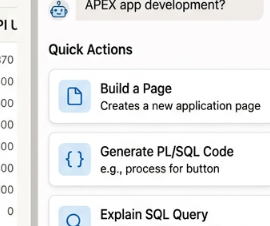
Oracle APEX 26.1 introduced Quick Actions for the AI Assistant, allowing users to select a suggested action.
But there is a limitation: the Quick Actions are only available when the conversation starts.
I wanted to see if they could be generated dynamically from the current conversation.
1. Quick Actions – recap
(For this example I’m using Oracle’s Customer Orders (CO) sample schema)
Quick Actions are created in the Dynamic Action that invokes the AI Assistant.
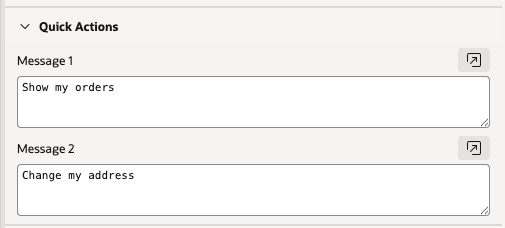
Renders as
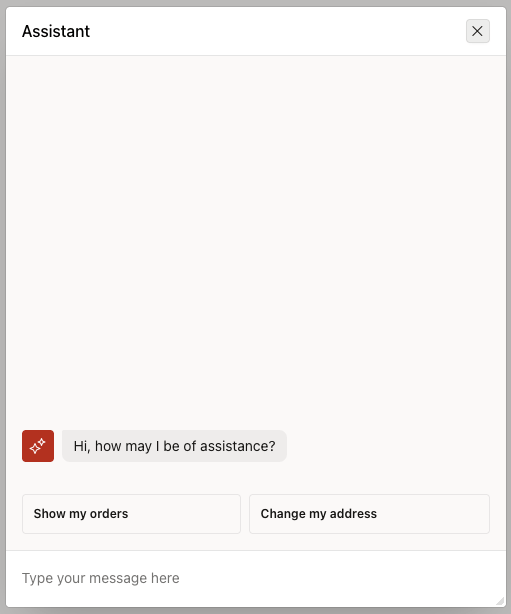
Clicking the Quick Action button submits a message and the actions are removed.
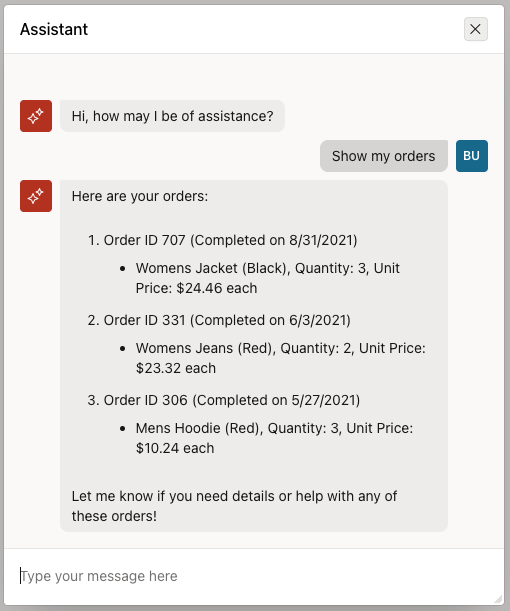
The response is generated using an On-Demand Tool to Retreive Data
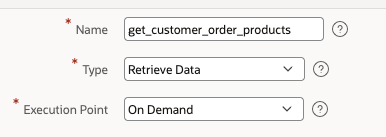
select o.order_id, o.order_tms, o.order_status, p.product_name, oi.quantity, oi.unit_pricefrom orders ojoin order_items oi on oi.order_id = o.order_idjoin products p on p.product_id = oi.product_idwhere o.customer_id = :CUSTOMER_IDand (o.order_id = :ORDER_ID or :ORDER_ID is null)order by o.order_tms desc;
This works nicely but the actions are only available when the Assistant is first invoked and only 2 actions can be defined.
How can we introduce Quick Actions dynamically, mid conversation in response to other questions, with as many as needed?
2. Solution
As far as I could tell, Oracle do not provide the ability to add Quick Actions mid conversation. However Agent Tools can execute client side Javascript. Therefore if we can identify the CSS Classes used for the Quick Actions, we can recreate them dynamically from an SQL Query using Javascript.
So using Agent Tools, Javascript, SQL, AJAX and borrowed CSS we can reproduce the Quick Actions seemlessly!
3. Use Case
Firstly, let’s define the use case.
In a Customer Orders Management System, a customer might want to discuss a particular product they have ordered, perhaps to return it, report that it hasn’t arrived, or report that it was damaged.
If the customer has multiple products or orders, the Assistant can use Quick Actions to present the available choices after understanding the customer’s request, allowing them to select the relevant product without having to type its details.
User types
I want to return an item I bought.
Response
Please chose the item you want to return
[Item 1] [Item 2] [Item 3] ...
User selects [Item 1]
You have selected Item 1, please proceed as follows..
Now we have a simple Use case, we can build it in the style of Quick Actions.
4. APEX Implementation
SQL / AJAX
Lets create an AJAX Process called GET_CUSTOMER_ORDERS to retrieve the data and return as JSON, to Javascript. Each result contains a label for the button and a value that identifies the selected order.
The Customer ID is passed to the process using apex_application.g_x01
beginapex_json.open_array;for r in ( select to_char(p.product_id) as value, 'Order #' || to_char(o.order_id) || ' - ' ||p.product_name as label from orders o join order_items oi on oi.order_id = o.order_id join products p on p.product_id = oi.product_id where o.customer_id = to_number(apex_application.g_x01) order by o.order_tms desc)loop apex_json.open_object; apex_json.write('label', r.label); apex_json.write('value', r.value); apex_json.close_object;end loop;apex_json.close_array;end;
Javascript
In the Page Function and Global Variable Declaration, or as a JS File, create a Function called showQuickActions which will be called by our Agent Tool.
The function calls our AJAX Process to select the Labels, returned as JSON. The using a loop , HTML is generated to create buttons using the Quick Action Classes. The HTML is then added to the DOM using Javascript.
function showQuickActions(customerId, prompt, ajaxProcess) { apex.server.process( ajaxProcess, {x01: customerId}, { dataType: "json"} ).done(function (data) { $(".dynamic-quick-actions").remove(); let html = ` <div class="a-ChatActions-quickPicks dynamic-quick-actions"> `; data.forEach(function (item) { html += ` <button type="button" class="a-Button" onclick="sendPrompt('${prompt}${item.value}')"> <span class="a-Button-label"> ${item.label} </span> </button> `; }); html += `</div>`; $(".a-ChatInputContainer").before(html); });}
Each button, when clicked, calls a function sendPrompt which copies the Buttons generated value to the input, mimicking the user typing a message and then pressing submit. Lastly the actions are then removed.
function sendPrompt(prompt) { const input = document.querySelector(".a-ChatInput-text"); input.value = prompt; input.dispatchEvent(new Event("input", { bubbles: true })); input.dispatchEvent( new KeyboardEvent("keydown", { key: "Enter", code: "Enter", keyCode: 13, which: 13, bubbles: true }) ); $(".dynamic-quick-actions").remove();}
Agent Tool
We create a Tool that triggers the JavaScript to display the Quick Actions, allowing the customer to select the item they want to return.
The Agent may generate its own response alongside the Quick Actions, which can result in an unnecessary or conflicting message. The Tool’s prompt therefore explicitly instructs the Agent to simply tell the customer to select an item.
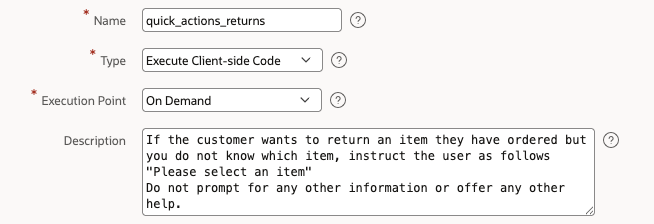
We then call our previously defined function, passing it the Customer ID, the prompt to send to the Assistant, and the name of the AJAX Process to call.
showQuickActions( $v("P20_CUSTOMER_ID"), "I want to return Product #", "GET_CUSTOMER_ORDERS");
Now, when the customer asks to return an item, the Quick Actions are displayed using the customer’s own order data.
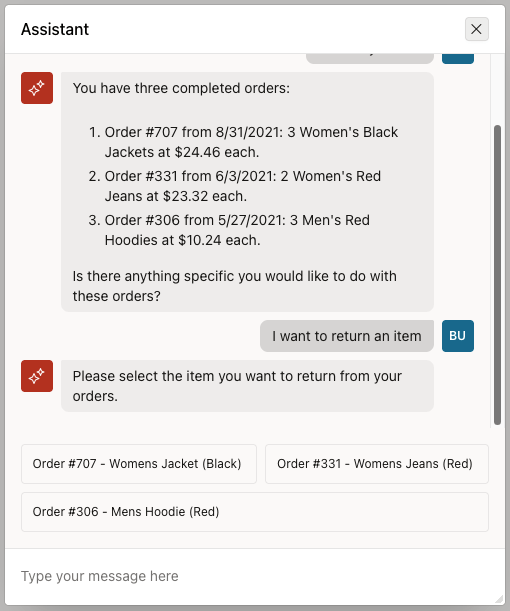
When a Quick Action is selected, its prompt value is copied into the user message and submitted to the AI Agent:
"I want to return Product #18, Order #707 - Womens Jacket (Black)."
The Agent then processes the message and naturally continues the conversation, with no additional handling required. It even understands that it now needs to ask how many items the customer wants to return.
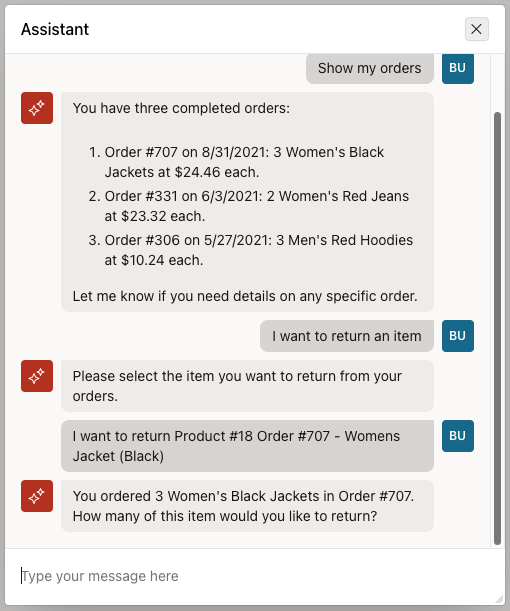
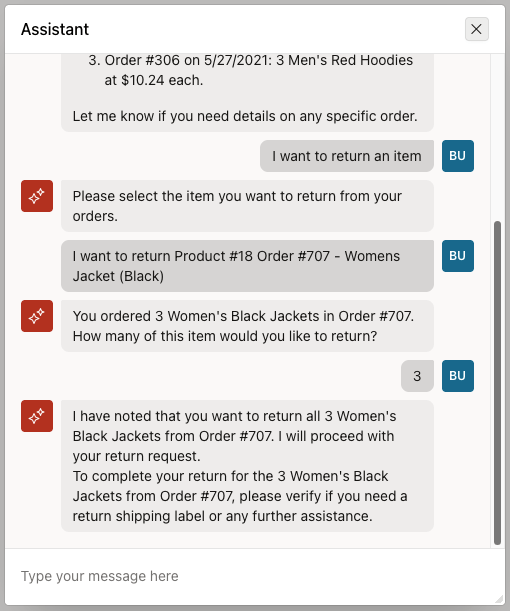
The Quick Actions have worked! We can create code to process the return, most likely in the form of an On-Demand, Server Side Tool.
5. Conclusion
We’ve seen how Quick Actions can be created dynamically from data and introduced at the right point in a conversation, rather than defining a fixed set of options only at the start of a chat. The Assistant can use the current context to present the customer with valid choices, helping to move the conversation forward.
This is quite a common UI pattern: the Assistant needs a little more information before it can continue, so instead of asking the user to type it, we can guide them towards the available options.
In this example, the Quick Action ultimately becomes a user message, allowing the AI Agent to take over and continue the conversation naturally.
A few things to consider
This approach does rely on the current APEX Assistant’s HTML structure and behaviour, so it is worth treating it as an enhancement rather than a guaranteed long-term API. Oracle could change the underlying implementation in a future release, or perhaps introduce native functionality that provides a cleaner way of achieving the same thing.
There is also plenty of scope to take this further. The JavaScript could be made more generic, with additional parameters controlling the prompt, data source and behaviour. Quick Actions don’t necessarily have to submit a message to the Assistant either, they could trigger other client-side JavaScript or server-side APEX processes, or even be some other object than buttons.
And, of course, this is all possible because Oracle APEX provides plenty of opportunities to extend the built-in functionality when you need something beyond what is currently provided out of the box. As APEX continues to evolve, some of these techniques may eventually become unnecessary as the platform adds more native AI and Assistant capabilities.
For now, though, this is a useful little technique for adding a more interactive layer to the APEX AI Assistant.
 jmclareblog
Leave a comment