
The Oracle APEX Generate Text With AI process allows us to generate a response from an AI model. Let’s use it to build a simple chat interface.
APEX already provides a built-in chatbot, but building our own is a useful way to understand how the underlying process works and gives us the flexibility to create a chat interface that suits our own requirements.
Create a Basic AI Chat UI
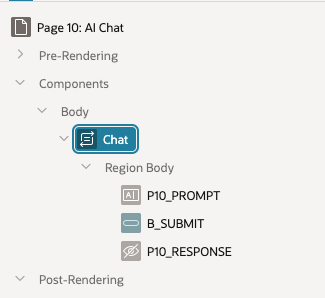
In Apex, create
- A New Page, let’s say #10
- A Dynamic content region (we’re going to use PL/SQL to render the display)
- A text field P10_PROMPT for our user input
- A hidden field P10_RESPONSE for the response
- A submit button B_SUBMIT
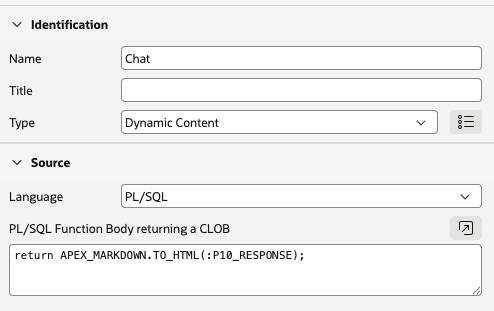
For the PL/SQL Region, add a Function response to return the response item and add styles if you want, or use an Apex API to render the Markdown response as HTML, for example
return APEX_MARKDOWN.TO_HTML(:P10_RESPONSE);
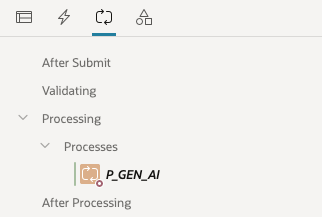
Next create a Process which will Generate the AI response on Submit.
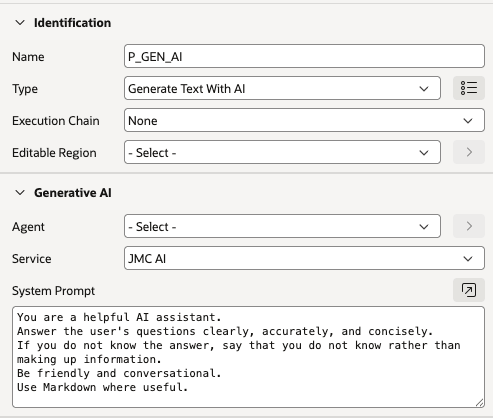
For type, choose “Generate Text With AI”, add your Service and then create a System Prompt. (You could instead reference an AI Agent defined in Shared Components)
Enter the Item names for the input and response and the submitting button.
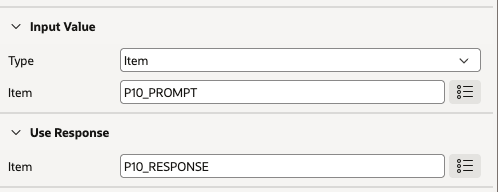

Testing the Chat UI
Lets Run our Page and ask the AI a question.
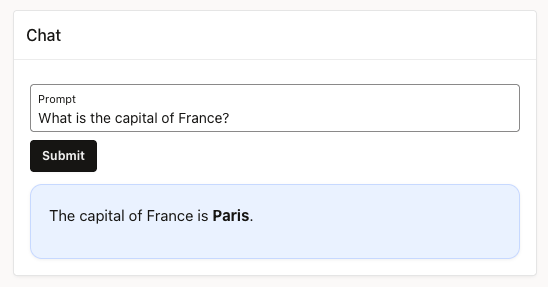
Voila! It works! It responds correctly and with Markdown rendered.
We have created a basic AI chat!
Now lets ask a follow up question
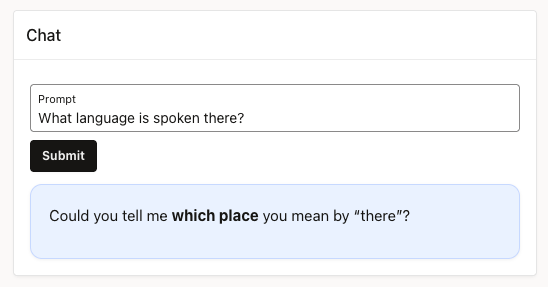
Oh thats not great. As we can see there is no context or memory, it knows nothing about the previous question.
This obviously will limit its usefulness for chat. So we can fix that.
Let’s create a simple conversation management process. We will record a history of the entire conversation and then add (augment) to the AI Generation.
Conversation
We can store the conversation in a page item and then reference that item in the AI prompt.
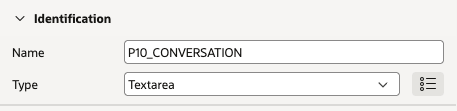
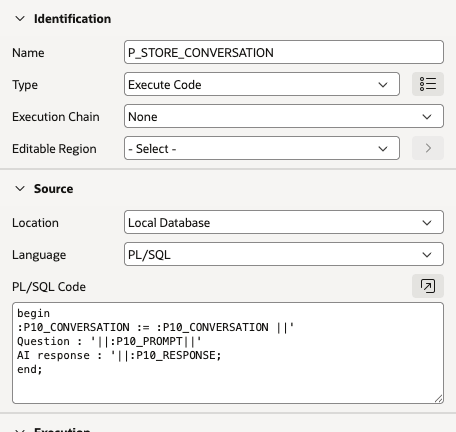
Create a process to append the users question and AI response, on submit. (Make sure it happens after the AI response has been generated)
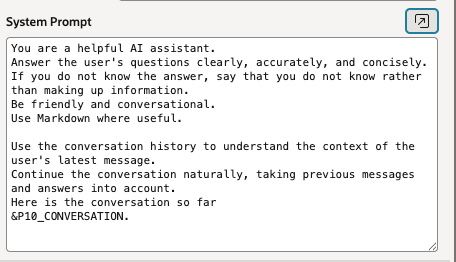
And amend the AI prompt to reference the conversation
Testing it out again, (the Conversation item is shown in a Data region, you’d hide this in reality)
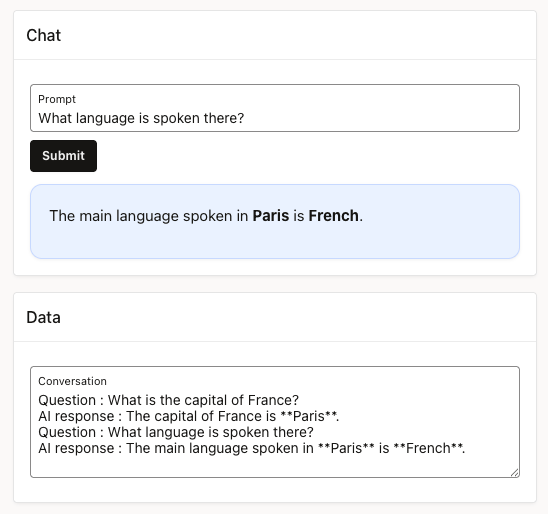
It worked! It “remembered” our previous question.
However there is a downside, sending an entire conversation with every request is not very efficient and could soon become a problem with consuming tokens, especially with lengthy AI repsonses.
Not everything in the conversation may be relevant to the users last question, a conversation’s intent and subject may change and earlier questions no longer matter. Sending all information is just overkill and unncessary.
Generating context
If we could summarise the conversation so far in a few sentences and add that instead to the prompt, that would far more efficient. A summary need only contain the information it needs to continue the conversation and answer the last question.
And heres the beautiful bit. we can use an AI Agent to construct the summary!
Remove the Process which stores the conversation and replace with a new Gen AI process
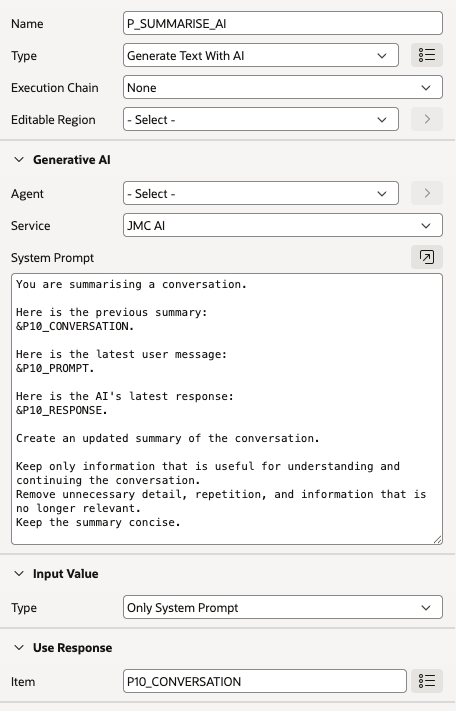
Now we have a summarised context in our Conversation Item.
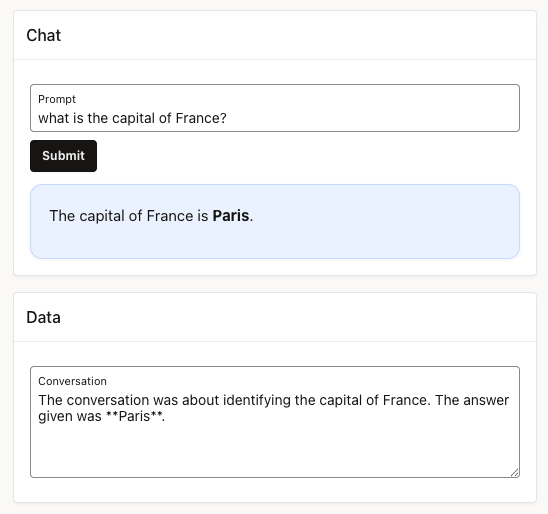
The conversation has been summarised. Now test it out by asking the follow up question
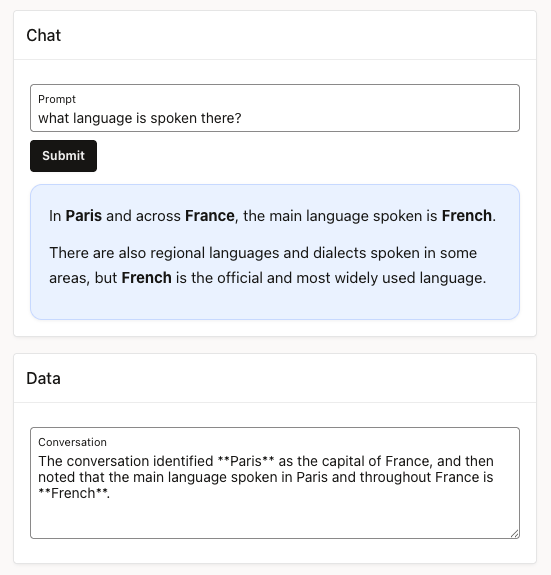
It worked, the summary gave the AI agent enough information to continue the conversation.
Lets ask further questions about travelling and costs.
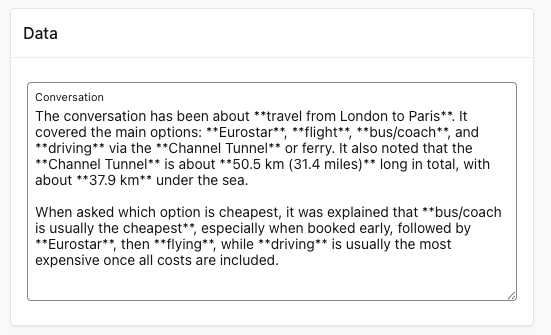
It summarises, retaining relevant info from previous rounds of conversation.
Conclusion
We have taken Oracle APEX’s Generate Text With AI process and turned it into a simple, working chat interface.
By adding conversation RAG, the chatbot can maintain a meaningful conversation rather than treating every question in isolation. We then improved this further by summarising the conversation, reducing unnecessary information and the amount of context sent to the AI.
There is plenty of scope for taking this further
- Instead of a submit, use a Dynamic Action to call the AI and refresh.
- Record the conversation and summary in a table.
- Identify memories from the users prompt, i.e. facts that can be carried over to the next conversation.
- Use a defined AI Agent and Tools to create the response.
- Use a PL/SQL process and APEX_AI.GENERATE to create the response.
- Enhance the context to record subject, intent, unanswered questions, remove the markdown.
- Display the conversation history
I’ll investigate these and other enhancements in the next Blog


Leave a Reply