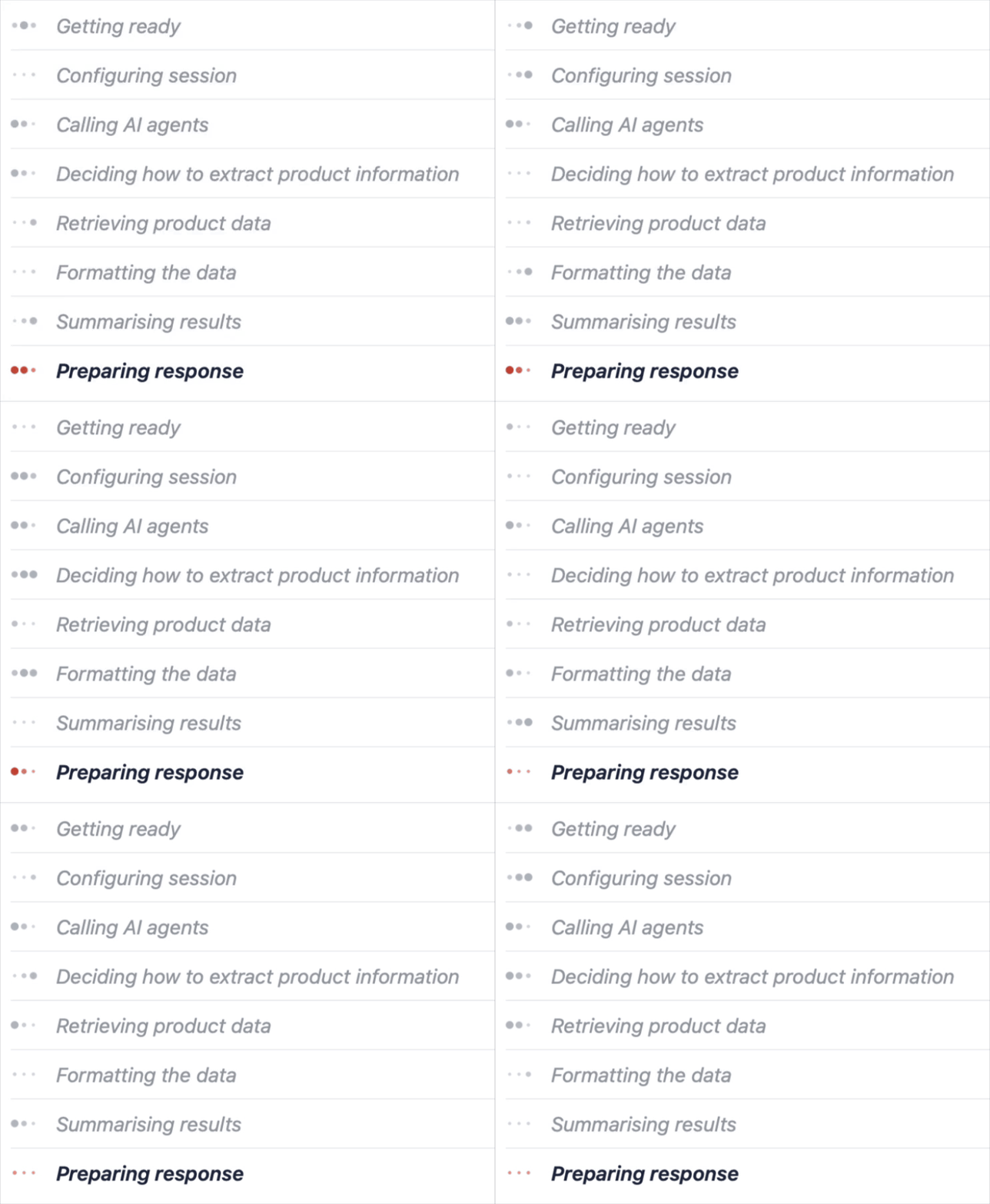
Progress Indicators
I’ve been creating Progress indicators for as long as I’ve been coding! My first attempts in Oracle were Forms 3.0 character mode, which meant inverted blocks moving across the screen with a percentage. If I’m honest, the progress was mostly fictional although it looked convincing! But its real purpose was to reassure the users something was happening in the background, served with a little artistic flair.
Technology may have moved on, but the need hasn’t. As apps now hand work to multiple and varied services, agents, complex code, chaining steps together, its more important than ever to reassure the user something is happening in the background.
So I’l show here how to create a genuinely functional progress indicator in Oracle Apex, rather than fake blocks and percentages it reports the actual steps being carried out in real time, using a simple, lightweight AJAX / Javascript polling routine.

Oracle Objects
Create a table to contain the progress. Each row will represent the full lifecycle progress.
CREATE TABLE prs_progress( progress_id VARCHAR2(100), progress_text VARCHAR2(200 BYTE));ALTER TABLE prs_progress ADD CONSTRAINT prs_progress_pk PRIMARY KEY (progress_id);
progress_id can be our Session ID (:APP_SESSION)
progress_text is simply updated with the latest progress and re-queried in our page using Javascript.
Now we need a procedure to update or insert, using a Merge statement. The PRAGMA ensures the transaction happens independently from whatever called it.
create or replace procedure set_progress ( p_progress_id varchar2, p_text varchar2) is pragma autonomous_transaction;begin merge into prs_progress t using (select p_progress_id as progress_id from dual) s on (t.progress_id = s.progress_id) when matched then update set progress_text = p_text when not matched then insert (progress_id, progress_text) values (p_progress_id, p_text); commit;end;
This procedure can now be called from any code, for example, before an AI Agent to update the progress.
Apex Page
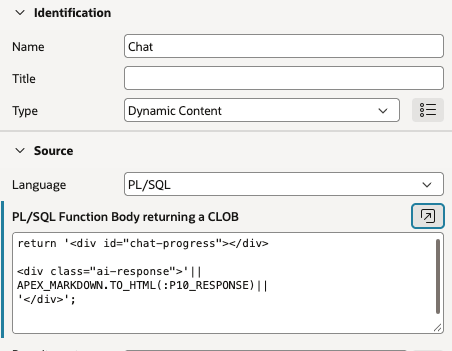
For our Chat interface page. Add some HTML to display the progress indicator. This could be in a Static Content region.
<div id="chat-progress"></div>
I’ve added mine above the AI response DIV, in my Dynamic Content Region created in my earlier blog.
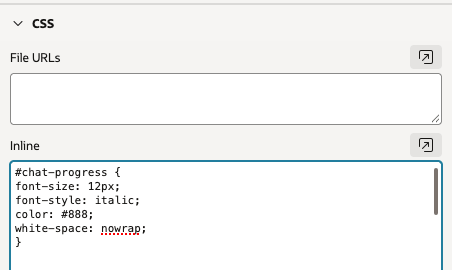
Add some styling at Page level to CSS > Inline
#chat-progress {font-size: 12px;font-style: italic;color: #888;white-space: nowrap;}
Now for the important bit, add an AJAX Callback Process called GET_PROGRESS to retrieve the progress text.
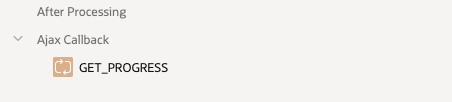
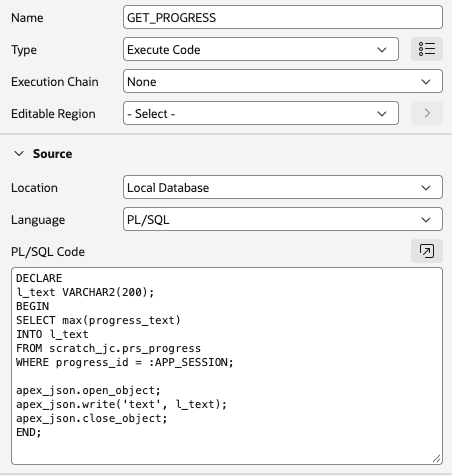
(The aggregator MAX simply ensures a record is always returned)
DECLARE l_text VARCHAR2(200);BEGIN SELECT max(progress_text) INTO l_text FROM prs_progress WHERE progress_id = :APP_SESSION; apex_json.open_object; apex_json.write('text', l_text); apex_json.close_object;END;
Lets create some Javascript functions to show and hide the progress and call the AJAX procedure to grab the progress text at set intervals. Add the following code at Page level to “Function and Global Variable Declaration”
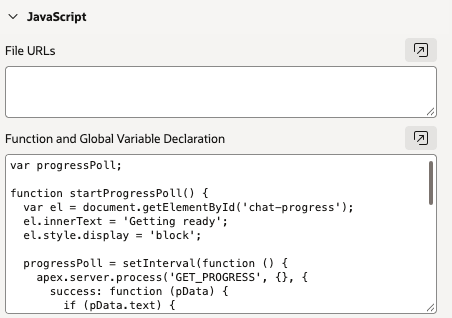
var progressPoll;function startProgressPoll() { var el = document.getElementById('chat-progress'); el.innerText = 'Getting ready'; el.style.display = 'block'; progressPoll = setInterval(function () { apex.server.process('GET_PROGRESS', {}, { success: function (pData) { if (pData.text) { el.innerText = pData.text; } } }); }, 900);}function stopProgressPoll() { clearInterval(progressPoll); document.getElementById('chat-progress').style.display = 'none';}
Now when I press my Submit button, I want to start the Progress Poll and do my Submit. So I add another Javascript function.
function sendQuestion() {console.log('Send Question');startProgressPoll();apex.submit({request: "SUBMIT"});}
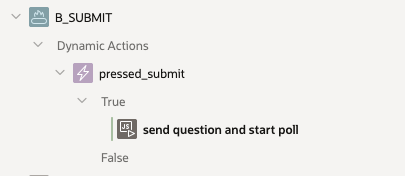
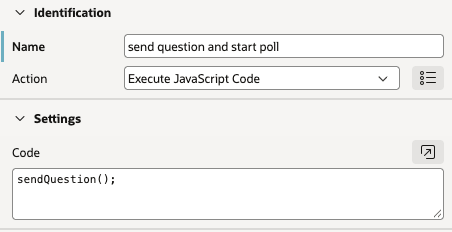
I created a Dynamic action on my Button to Execute Javascript and run
sendQuestion();
Putting it all together
Now I just need to call the procedure to set the progress, this can be done anywhere in pl/sql, for simplicity I have added Apex processes
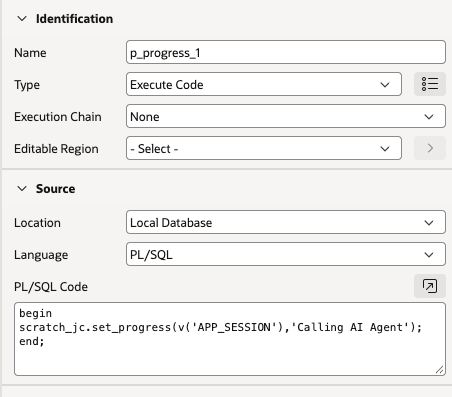
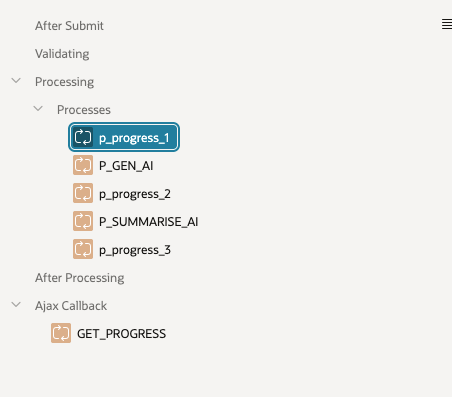
begin set_progress(v('APP_SESSION'),'Calling AI Agent');end;
And the result!
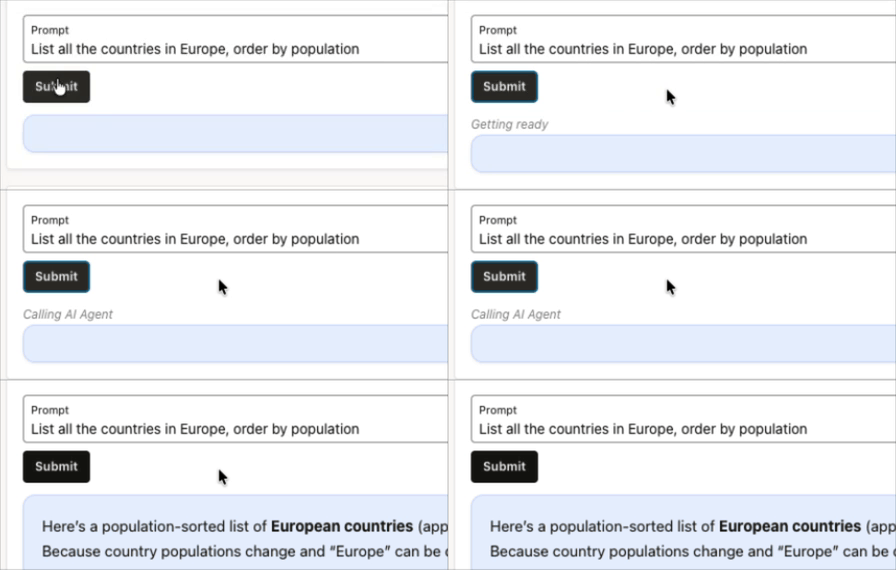
Typing Dots…
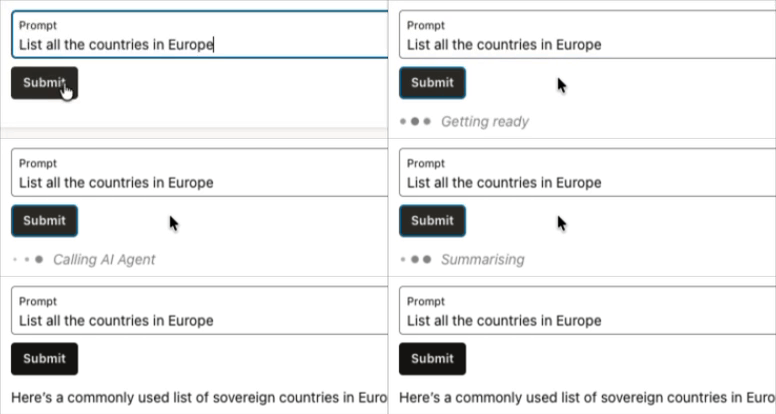
Lets enhance the Progress Indicator with some classic typing dots!
For the HTML, add 3 dots, using a SPAN with a class for the dots.
<div id="chat-progress"> <span class="dot"></span><span class="dot"></span><span class="dot"></span> <span id="progress-text"></span></div>
We can define the styles and animate them with CSS, the animation-delay creates the staggered ripple effect of the 3 dots.
#chat-progress { display: none; align-items: center; gap: 4px; font-style: italic; color: #888;}.dot { width: 8px; height: 8px; border-radius: 50%; background: #888; animation: pulse 1.2s infinite ease-in-out;}.dot:nth-child(2) { animation-delay: 0.2s; }.dot:nth-child(3) { animation-delay: 0.4s; }#progress-text { margin-left: 6px; }@keyframes pulse { 0%, 80%, 100% { transform: scale(0.4); opacity: 0.5; } 40% { transform: scale(1); opacity: 1; }}
And tweak the javascript, setting the display to flex instead of block to make the dots sit in a row
function startProgressPoll() { var box = document.getElementById('chat-progress'); var text = document.getElementById('progress-text'); text.innerText = 'Getting ready'; box.style.display = 'flex'; progressPoll = setInterval(function () { apex.server.process('GET_PROGRESS', {}, { success: function (pData) { if (pData.text) { text.innerText = pData.text; } } }); }, 900);}
We now have the animated typing dots!
Conclusion
We’ve created a Progress Indicator, but rather than being merely cosmetic, it is fully functional!
It provides visibility of server-side processing whether a PL/SQL code, AI Agent or anything we can execute. Its a simple diagnostic or debugging tool for developers.
Importantly it improves the user experience, by giving feedback rather than apearing unresponsive.
This could easily be extended to have percentages, timers or more info or even “thought processes” which could be generated by an AI, for example by an Intent Classifier agent. Perhaps a future blog!


Leave a Reply